Add Market Holiday
For user with Administrator role only.
- To add a market holiday, from the Page Menu:
- Go to Setting > Calendar.
- Click anywhere on the calendar to select the date, you can also click & drag your mouse cursor on the calendar to select consecutive multiple dates.
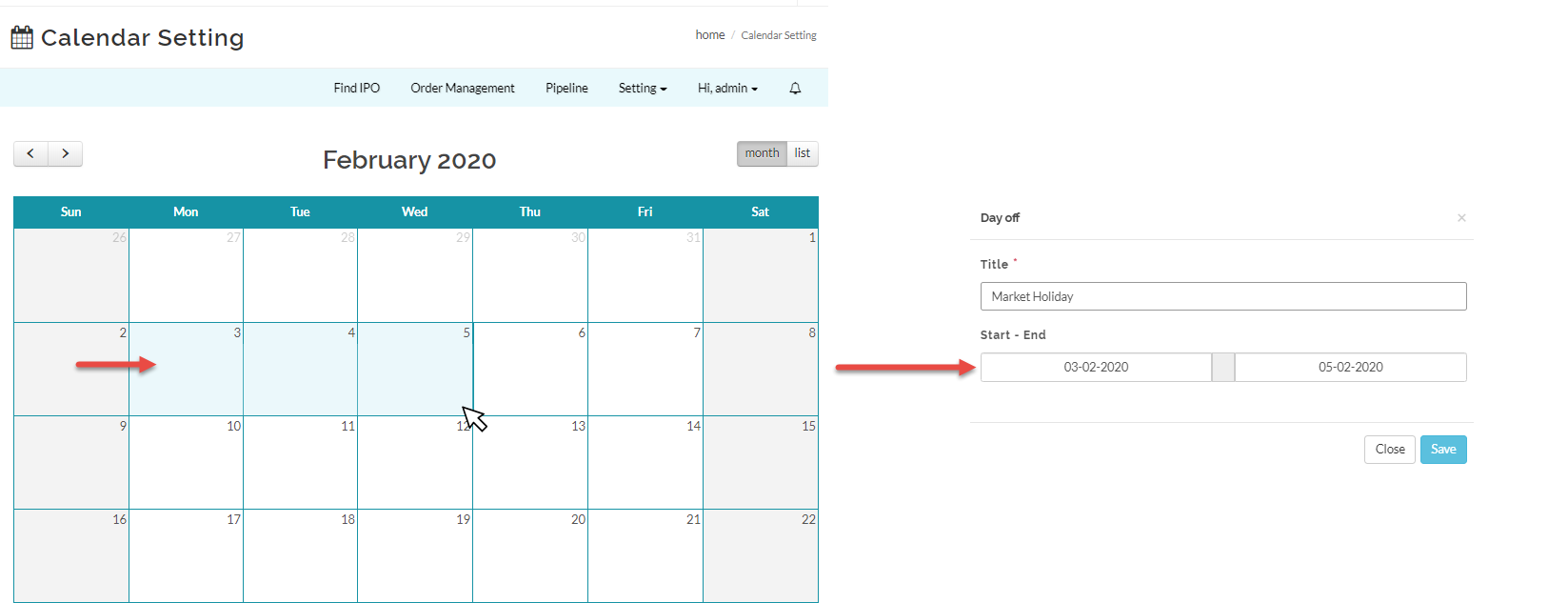
- Input the Day Off form and click Save.
Created with the Personal Edition of HelpNDoc: Effortlessly Create Encrypted, Password-Protected PDFs