Add User
For user with Master role only.
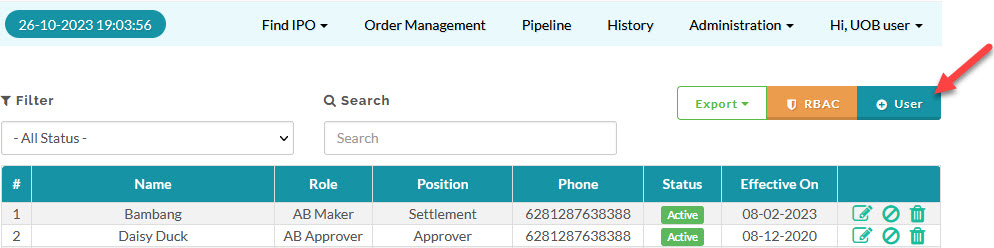
To add a user, from the Page Menu:
- Go to Administration > User > + User.
- Fill in the Add Broker User form.
In the Level field choose the role for your user, see the table here for the default user access summary.
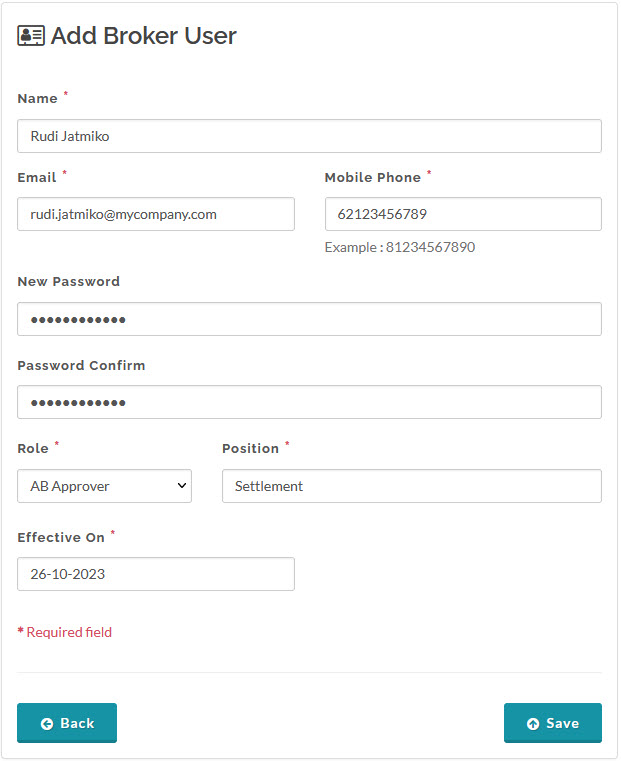
- Click Save.
Created with the Personal Edition of HelpNDoc: Modernize your help files with HelpNDoc's WinHelp HLP to CHM conversion tool