Change Password
To change password, from the Page Menu:
- Click or hover your mouse cursor on your user name.
- Click Profile.
- Click the Change Password tab.
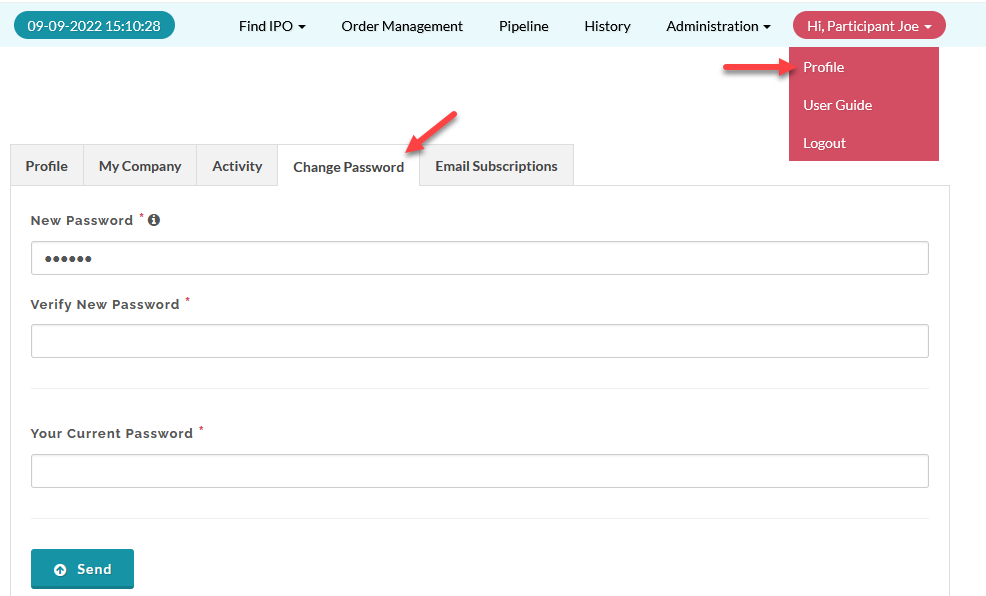
- Fill in the Change Password form.
- Click Send.
Created with the Personal Edition of HelpNDoc: Streamline your documentation process with HelpNDoc's HTML5 template