Deactivate Administrator
For user with Administrator role only.
To deactivate an administrator, from the Page Menu:
- Go to Setting > User Admin.
- Select User > Deactivate
 .
.
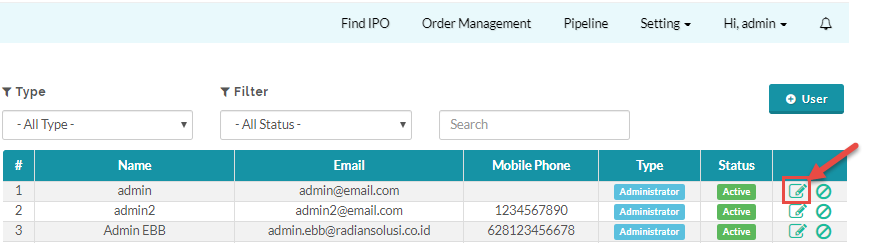
 If you deactivate your own admin user account you will loose your access as administrator and can not reactivate the account by yourself, you will need to contact another admin user to reactivate your account.
Created with the Personal Edition of HelpNDoc: iPhone web sites made easy