Deactivate Participant User
For user with Administrator role only.
To deactivate a Maker or Approver, from the Page Menu:
- Go to Setting > Security Broker.
- Select Participant > User
 .
.
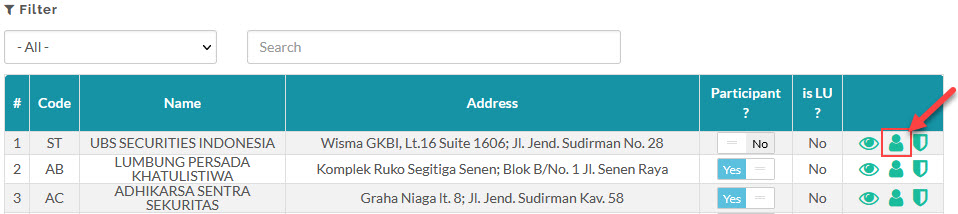
- Select User > Deactivate
 .
.

Created with the Personal Edition of HelpNDoc: Streamline Your Documentation Process with a Help Authoring Tool