Deactivate/Reactivate Investor
To deactivate an investor from your investor list, from the Page Menu:
- For Individual Investor: Go to Administration > Individual Investor
For Institutional Investor: Go to Administration > Institutional Investor.
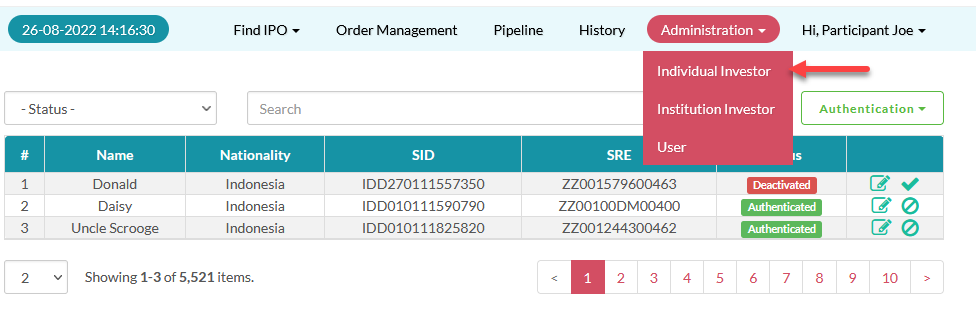
- Select Investor > Deactivate
 .
.
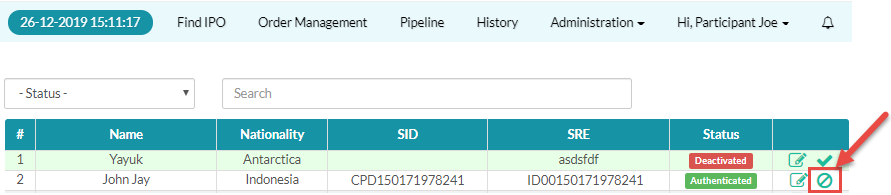
A deactivated investor can not submit an order for approval to their brokerage (Participant), however they can still login to e-IPO and no other privileges are revoked. An investor may have more than one securities brokerage to which they are verified, this means an investor that is deactivated in one participant can still submit orders through another participant if their status is active under that participant.
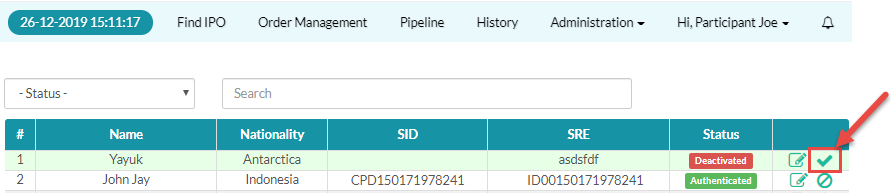
To reactivate an investor: select Investor > Reactivate  .
.
Created with the Personal Edition of HelpNDoc: Produce Kindle eBooks easily