Generate API Access Credential
For user with Administrator role only.
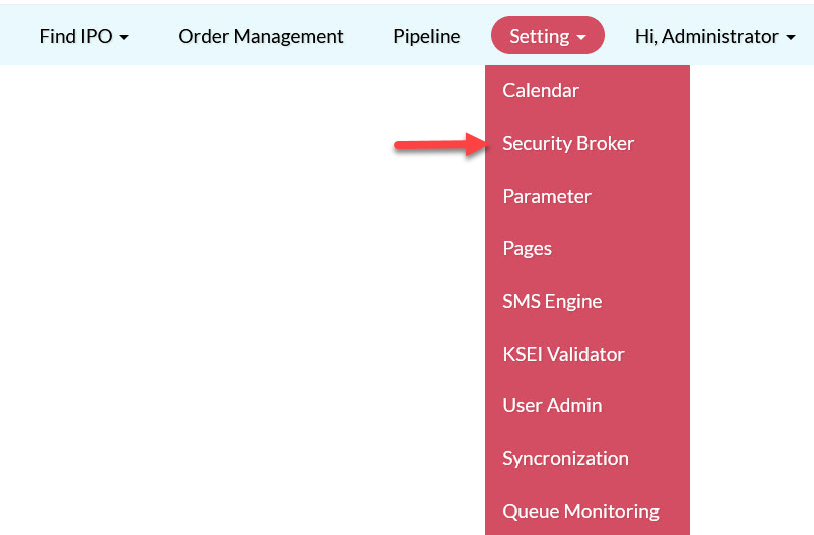
To generate API access credential, from the Page Menu:
- Go to Setting > Security Broker
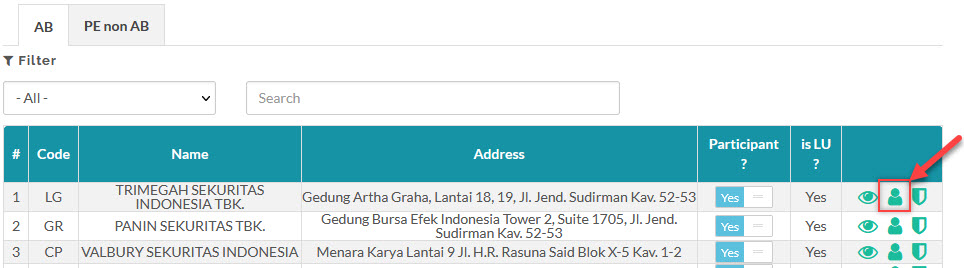
- Select participant > View
 .
.
- Click Generate
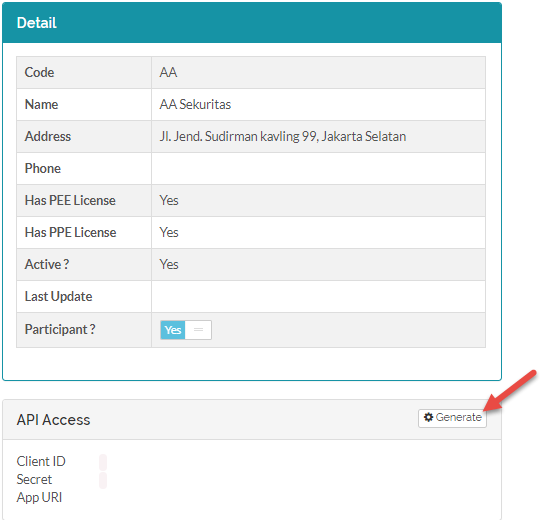
You can regenerate the API Access to issue a new credential by clicking Regenerate.
 When you regenerate the API Access credential, be sure to inform the participant the API access you regenerated as they need to update the new credential on their API server.
|
Field |
Description |
|
Client ID |
The client identifier issued. |
|
Secret |
The client secret issued, known only to the application and the authorization server. |
|
App URI |
The callback URL of the client's application. |
To see how to revoke a participant's API access, click here.
Created with the Personal Edition of HelpNDoc: Maximize Your Documentation Output with HelpNDoc's Advanced Project Analyzer