Set Maximum User Broker
For user with Administrator role only.
To set Maximum Active User per participant, from the Page Menu:
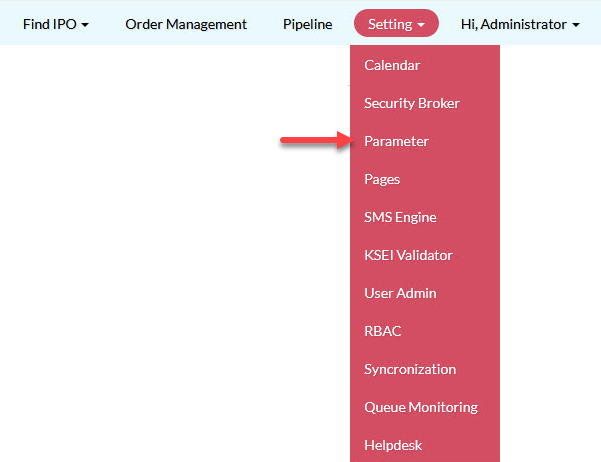
- Go to Setting > Parameter > Security Broker.
- Update Maximum User Broker and click Save.
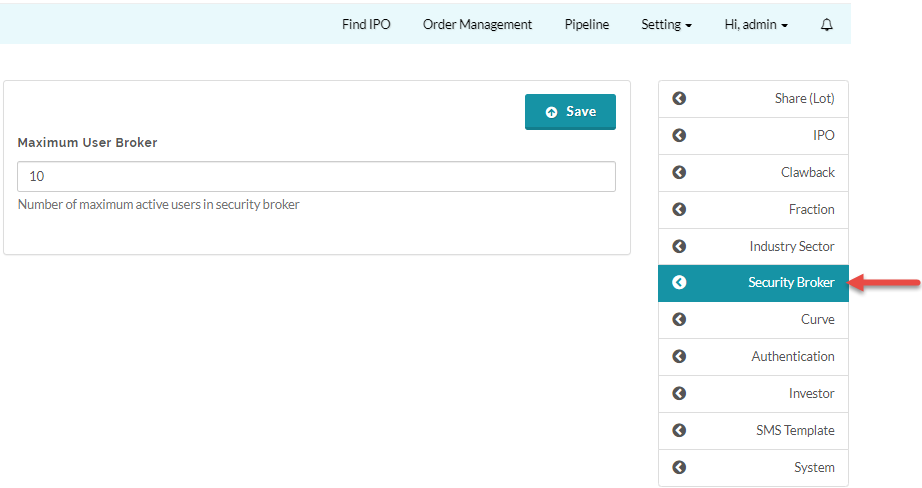
 The number you set here is for the maximum active user per participant at any a one time. A participant may have more than the specified maximum active user in the system but at any one time the number of user with an Active account can not exceed the set amount. For example, a participant has 12 users registered but the maximum active user set is 10, then 2 of the users must have a Non-active account.
Created with the Personal Edition of HelpNDoc: Free iPhone documentation generator