Set Password Expiry
For user with Administrator role only.
To set password expiry duration, from the Page Menu:
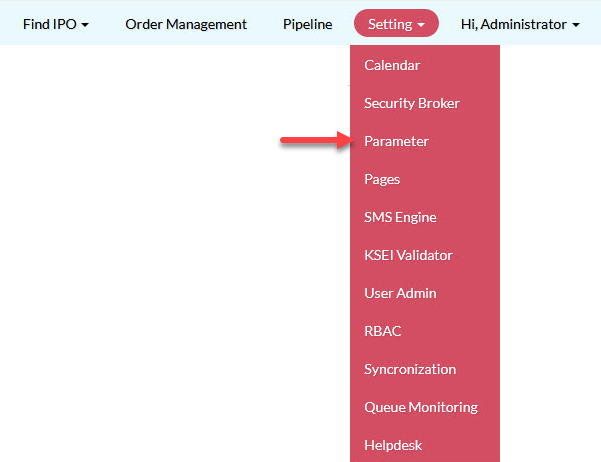
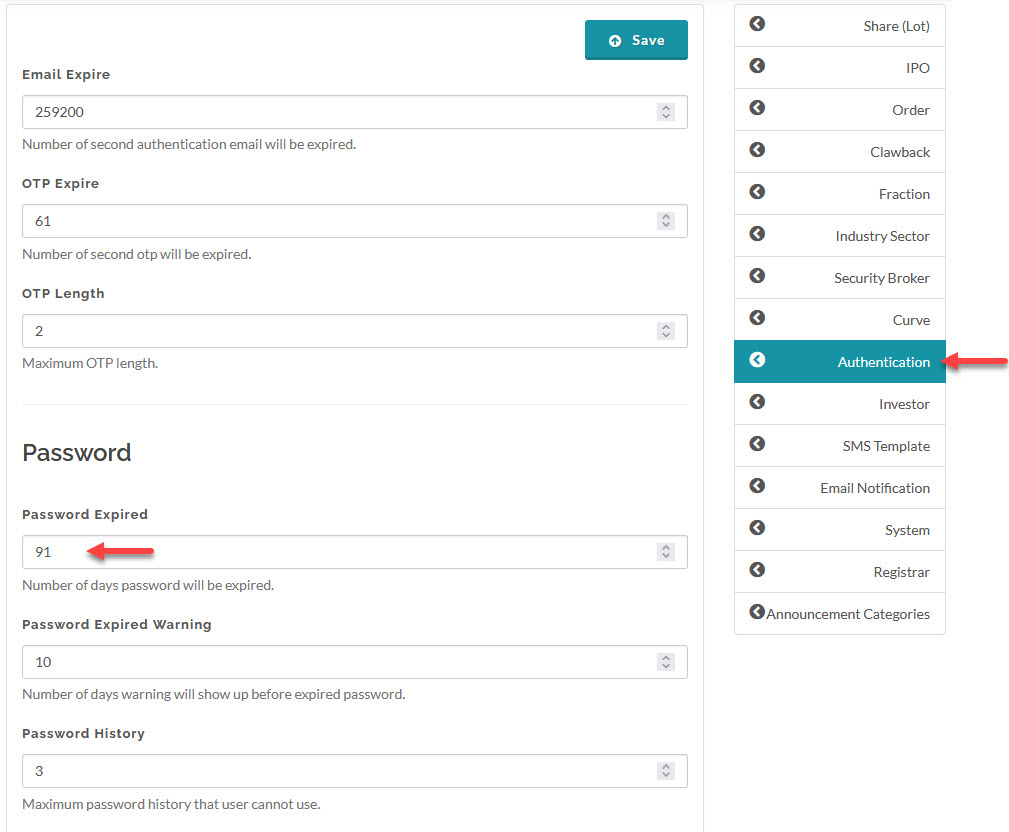
- Go to Setting > Parameter > Authentication.
- Update the password expiry duration and click Save.
Created with the Personal Edition of HelpNDoc: Elevate Your CHM Help Files with HelpNDoc's Advanced Customization Options