Set Pipeline Closed Time (Clock only)
Prerequisites
- The Administrator has parameter access rights.
- The pipeline is in Allotment status or is about to enter the Closed process.
Usage Steps
- Log in as an Administrator.
- Open Settings > Parameter.
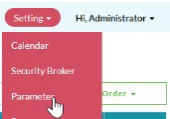
- Search for the time parameter used to change the status from Allotment to Closed.
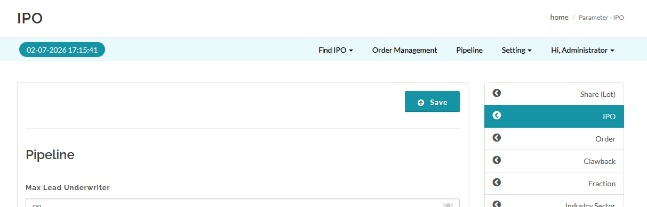
- Change the time according to operational needs; the standard time referenced in the SRS is 16:00.
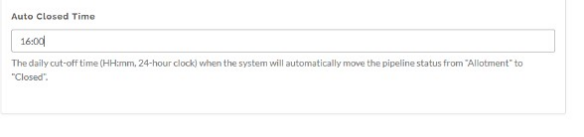
- Save the parameter.
Expected Result
- The pipeline status can automatically change to Closed according to the configured parameter, and the update is recorded in the audit trail/queue monitoring.
Created with the Personal Edition of HelpNDoc: Generate Kindle eBooks with ease