View Participant Index
For user with Administrator role only.
To view the Participant index, from the Page Menu:
- Go to Setting > Security Broker.
- Select participant Type, select the AB tab to view Exchange Member Participant index, or select PE non AB tab to view Non-Exchange Member Participant.
- Select Participant > View
 .
.
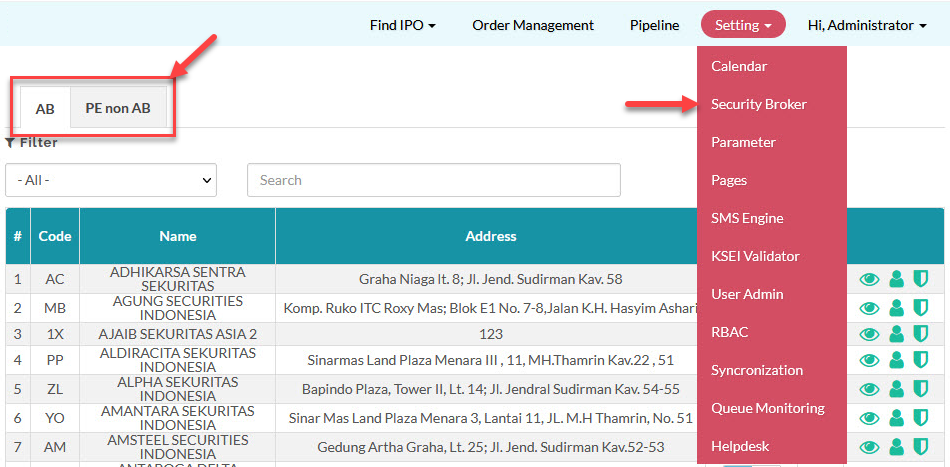
 The Exchange Member Participant (AB) index is updated everyday using data from Portal AB system.
Created with the Personal Edition of HelpNDoc: Revolutionize your documentation process with HelpNDoc's online capabilities