Add Participant
For user with Administrator role only.
To add Participant, from the Page Menu:
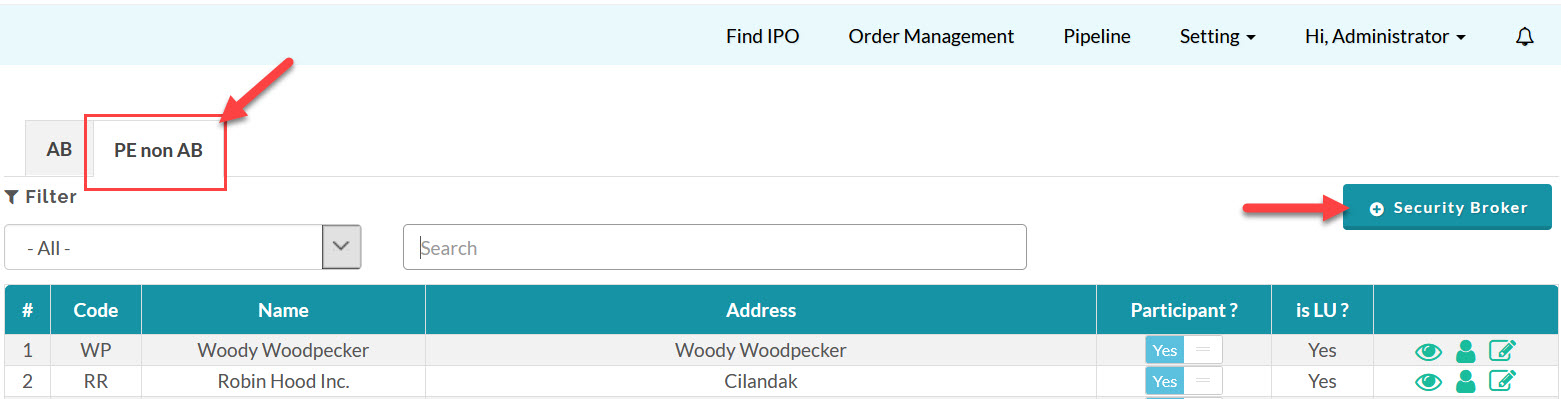
- Go to Setting > Security Broker.
- Select PE non AB tab > +Security Broker
- Fill in the Add Security Broker forms
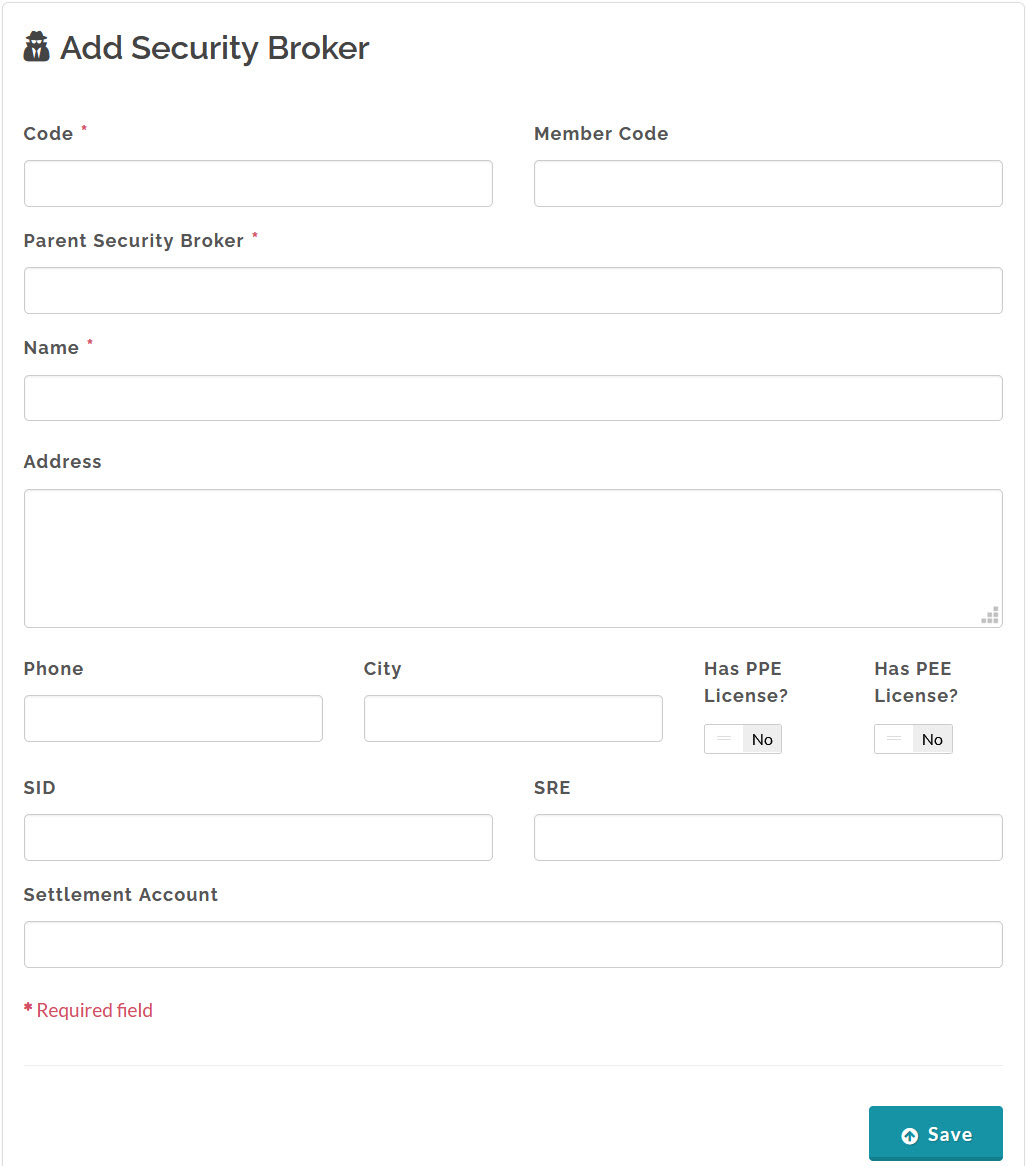
- Confirm Participant data and click Save.
Created with the Personal Edition of HelpNDoc: Write EPub books for the iPad