Add Participant User
For user with Administrator role only.
To add Participant Users, from the Page Menu:
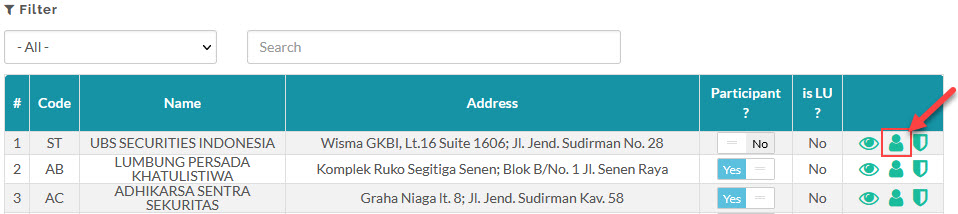
- Go to Setting > Security Broker.
- Select Participant > User
 > +User.
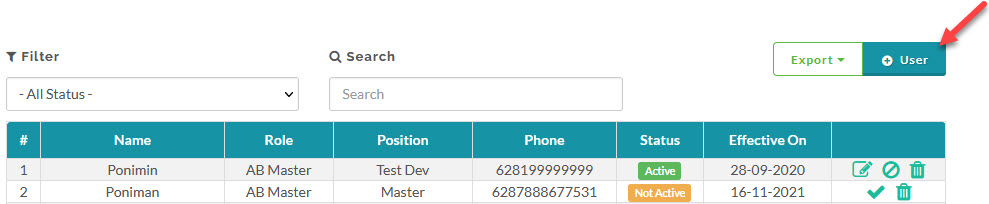
- Fill in the Add Broker User form.
- Click Save.
Created with the Personal Edition of HelpNDoc: Effortlessly create a professional-quality documentation website with HelpNDoc