Delete Investor
To delete investors from the investor list, from the Page Menu:
- For Individual Investor: Go to Administration > Individual Investor
For Institutional Investor: Go to Administration > Institutional Investor.
- Select Investor > Delete
 .
.

 You can only delete investors with the Request Authentication status. You can not delete an investor who have been authenticated or have an order in e-IPO.
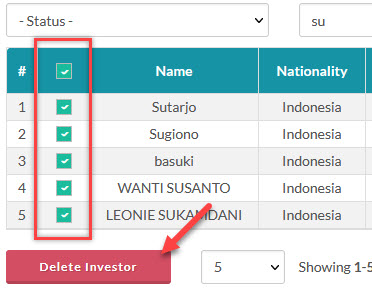
To Delete multiple investors, click the check-boxes on the investors you want to delete and click the Delete Investor button.
Created with the Personal Edition of HelpNDoc: Effortlessly Support Your Windows Applications with HelpNDoc's CHM Generation