Bulk Authentication
You can approve multiple investors requesting authentication to e-IPO in bulk from a Microsoft Excel® file.
Video example for bulk investor authentication:
To import order, from the Page Menu:
- For Individual Investor: Go to Administration > Individual Investor
For Institutional Investor: Go to Administration > Institutional Investor.

- Download the Investor Request Authentication list.

 Only investors with the Request Authentication status is included in the file download.
- Open the downloaded file and check the investors data. for approval of SID/SRE validation input the correct SREs, and under the Status column type "approved".

Any Status other than "approved" will be rejected/not approved.
- After you input the investors' data in the Excel file, save and upload the file.


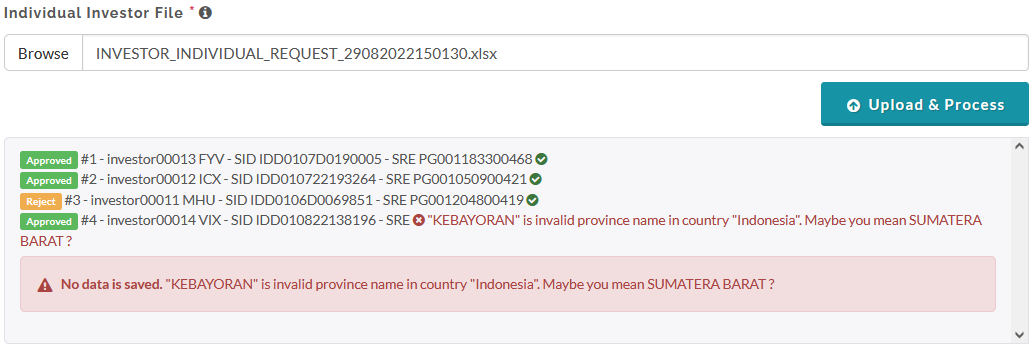
- After you upload, check the messages in the message container to see if your file is successfully uploaded and the investors data updated. See the video above for an example.
Created with the Personal Edition of HelpNDoc: Easily create Web Help sites