Order Pipeline Calculation
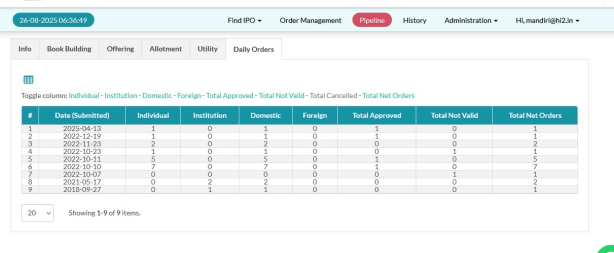
Displays daily order recap information on the pipeline detail page for stock IPO instruments.
- Go to Pipeline.
- Select Pipeline > View
 .
- Click the Daily Orders tab.
- In the Reports tab, Click the form you want to open
- The system shows order recap by day, investor type, and investor region.
Created with the Personal Edition of HelpNDoc: Benefits of a Help Authoring Tool