Upload Proof of Funds Transfer
You may be required to provide proof of transfer of funds of a public offering to the issuer, you can do this by uploading these files in PDF format.
To upload Proof of Funds Transfer, from the Page Menu:
- Go to Pipeline.
- Select Pipeline > View
 .
. - Click the Report tab.

- In the Report tab, open the Bukti Transfer Dana Hasil Penawaran Umum Kepada Emiten panel.
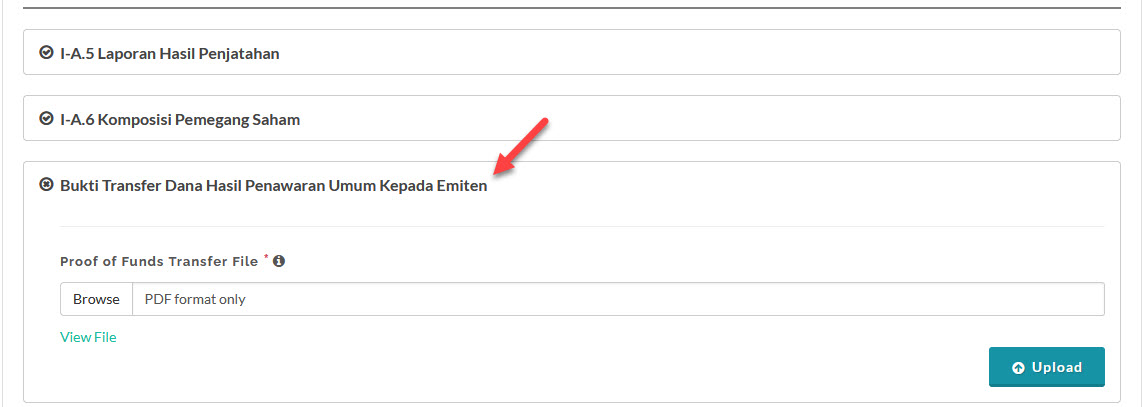
- Upload the file and click Save. You can confirmed the file has been successfully uploaded by clicking View File to download the file.
Created with the Personal Edition of HelpNDoc: Effortlessly Create Professional Documentation with HelpNDoc's Clean UI