Propose Order For Approval (For Non Exchange Member Participant)
For Non-Exchange Member Participant only.
To propose an order for approval, from the Page Menu:
- Go to Order Management.
- Select IPO > View
 .
. - Select Order > Approve
 .
.
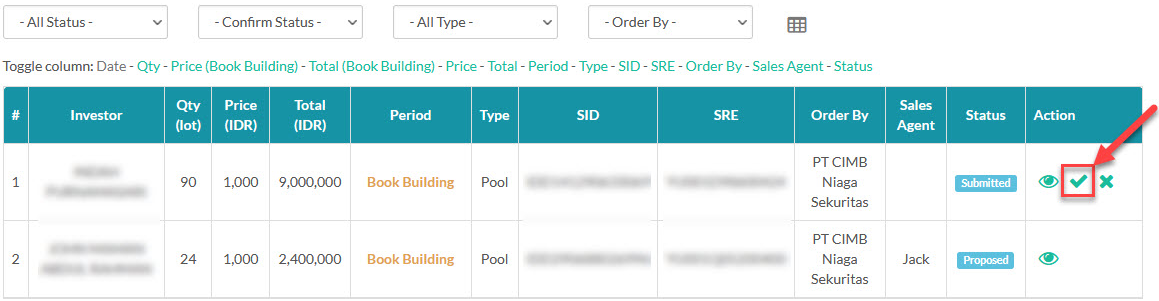
When you propose an order for approval, the order will be subsequently forwarded to your parent Exchange Member Participant. Your parent Exchange Member Participant will then have the authority to either approve or reject the proposed order.
 The extra step of proposing an order before approval only applies for Non-Exchange Member Participant. To learn more about order approval flow click here.
Created with the Personal Edition of HelpNDoc: Maximize Your Productivity with HelpNDoc's Efficient User Interface