Reject Order
To reject an order, from the Page Menu:
- Go to Order Management.
- Select IPO > View
 .
. - Select Order > Reject
 .
.
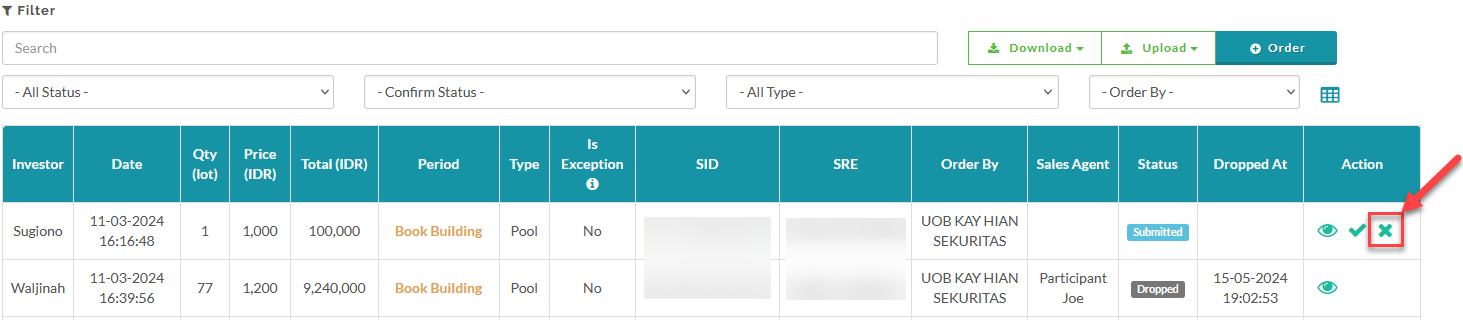
- Enter the reason for rejecting the order and click Reject to confirm.

Created with the Personal Edition of HelpNDoc: Upgrade your help files and your workflow with HelpNDoc's WinHelp HLP to CHM conversion