Set Not Allowed First Digit On Phone Number
For user with Administrator role only.
You can make some numbers not allowed as the first digit of a phone number when an investor or participant inputs a telephone number.
 E-IPO only allows phone numbers registered to service providers in Indonesia and automatically stored phone numbers with the "62" prefix. For Example, you do not want a phone number to start with the number "0", when a user inputs a phone number "081234567890", they will then get an alert message.
To set the numbers, from the Page Menu:
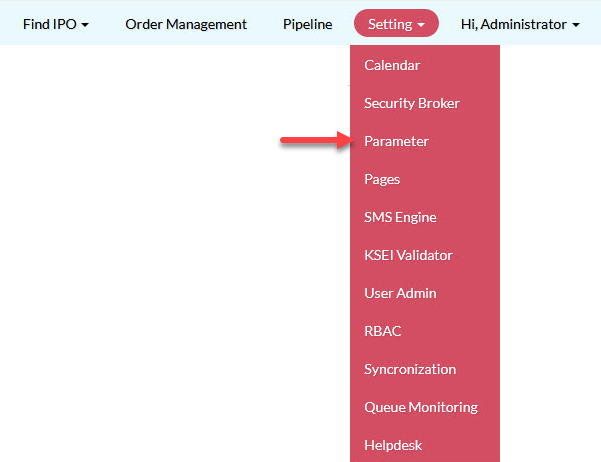
- Go to Setting > Parameter > System.
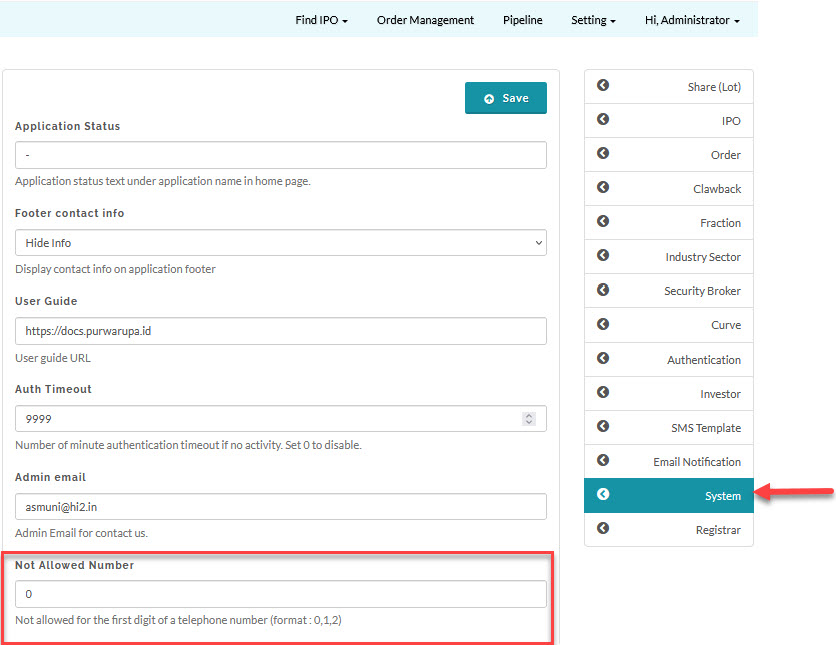
- Input the numbers in the Not Allowed Number field and click Save. Input multiple numbers separated by a comma.
Created with the Personal Edition of HelpNDoc: Full-featured EPub generator