Set Registrars
For user with Administrator role only.
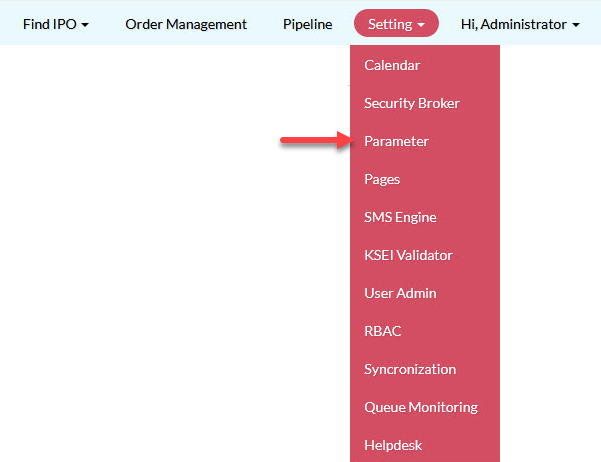
To set the registrars, from the Page Menu:
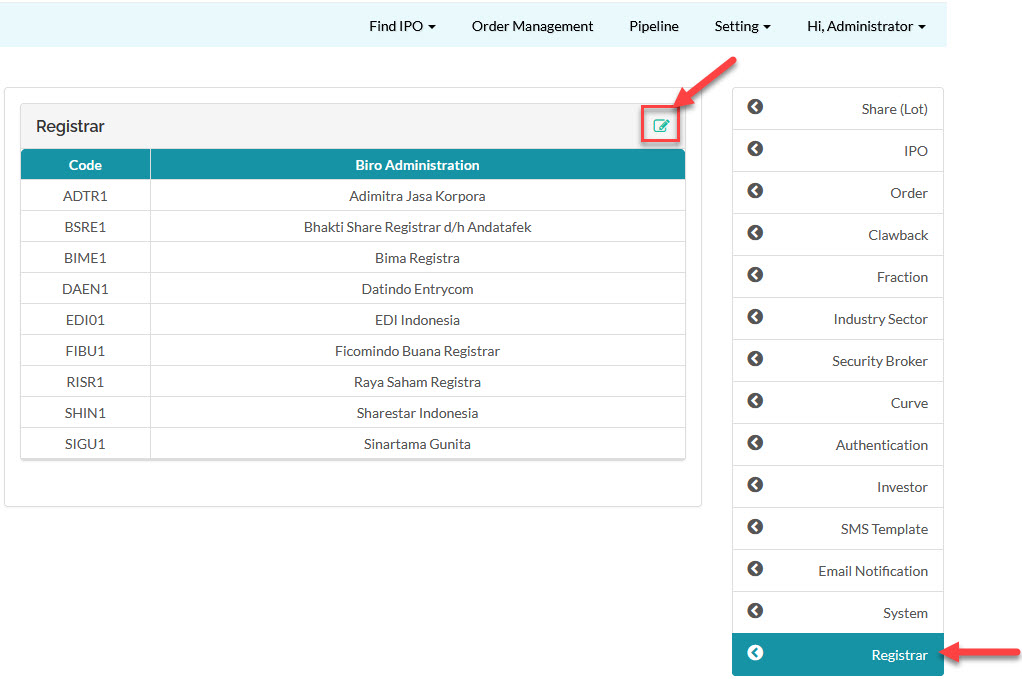
- Go to Setting > Parameter > Registrar > Edit
 .
.
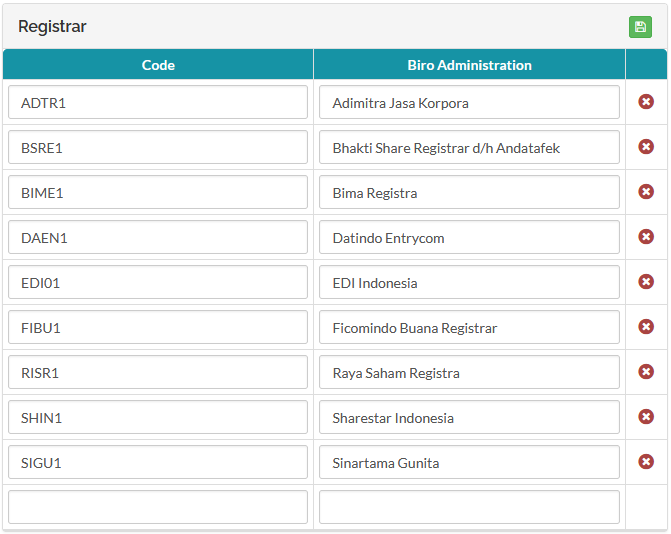
- Input the Code and Biro Administration fields and click Save
 .
.
 The registrars code and name will appear as a drop-down select item in the Update Pipeline form when a participant is creating or updating an IPO.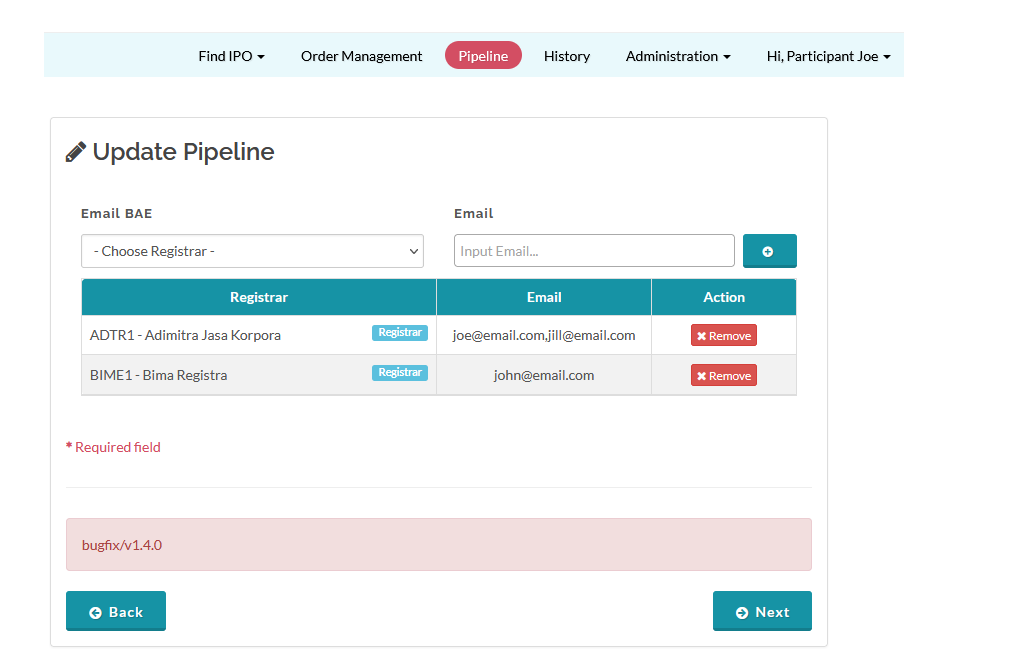
Created with the Personal Edition of HelpNDoc: Full-featured EBook editor