Set Session Timeout
For user with Administrator role only.
To set the session timeout for e-IPO users, from the Page Menu:
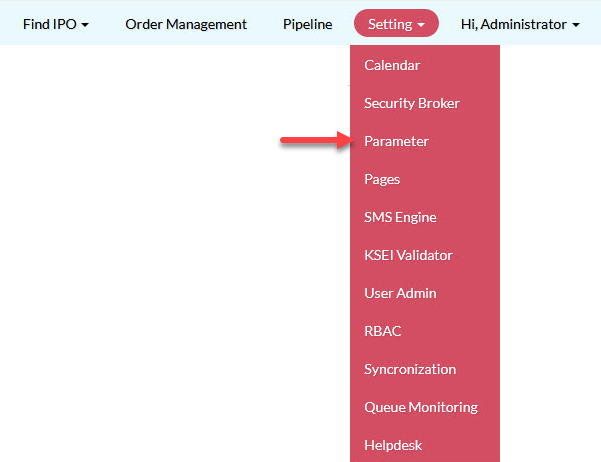
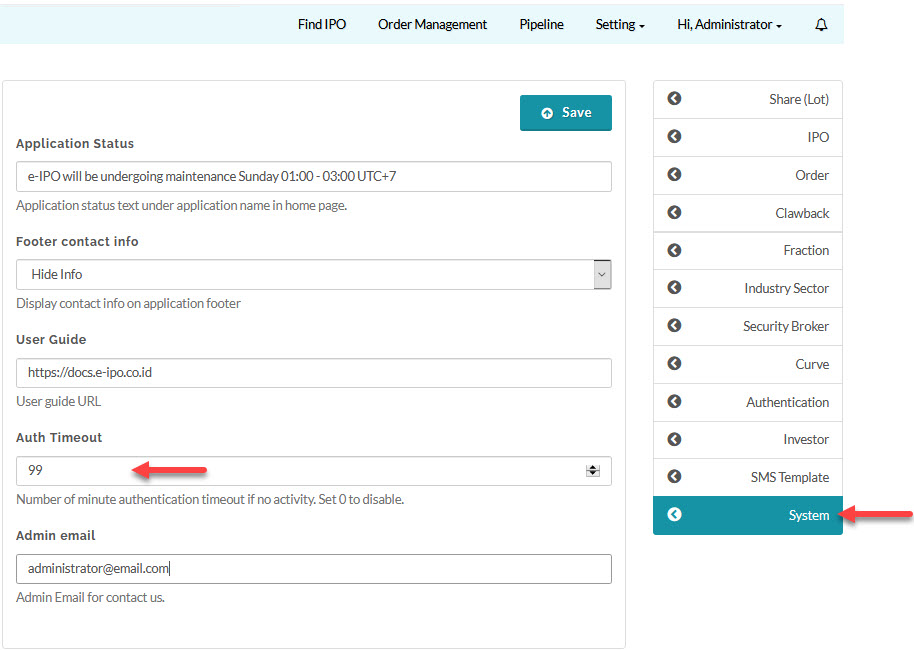
- Go to Setting > Parameter > System.
- Update Auth Timeout and click Save.
Created with the Personal Edition of HelpNDoc: Effortlessly Convert Your Word Doc to an eBook: A Step-by-Step Guide