Set User Guide URL
For user with Administrator role only.
To set the hyperlink for e-IPO User Guide URL, from the Page Menu:
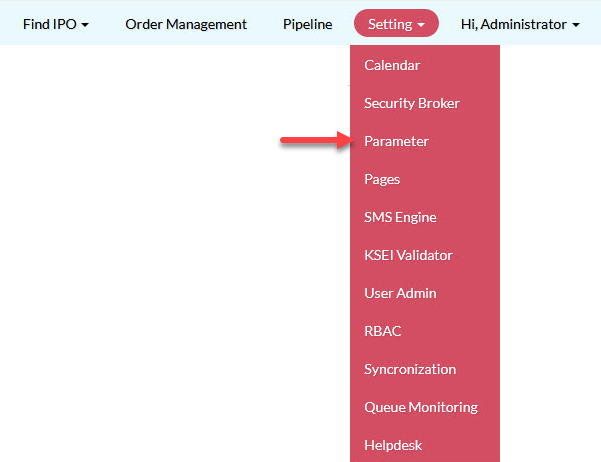
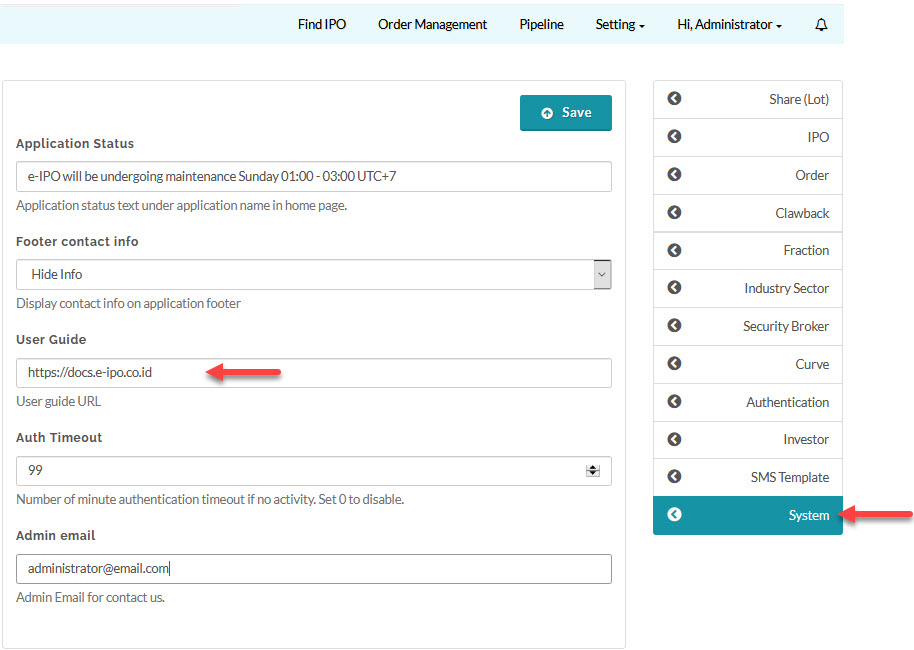
- Go to Setting > Parameter > System.
- Update User Guide and click Save.
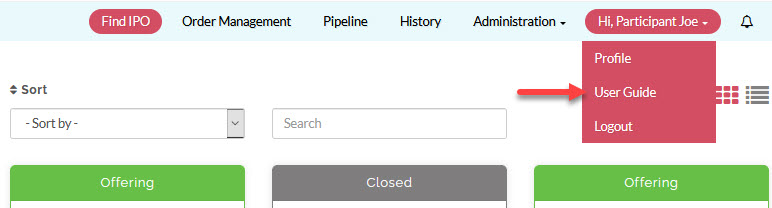
The User Guide link will be shown on this menu:
Created with the Personal Edition of HelpNDoc: Free iPhone documentation generator