Upload For Order Exception
You can upload a list of investors with order exception for a particular IPO. The order exception uploaded are for investors with an affiliated party or beneficiaries status with respect to the IPO the investors is ordering. Any order created for the investor in the list is flagged as an order exception.
To upload the file, from the Page Menu:
- Go to Order Management > Order Exception.
- Select IPO > View
 > Order Exception.

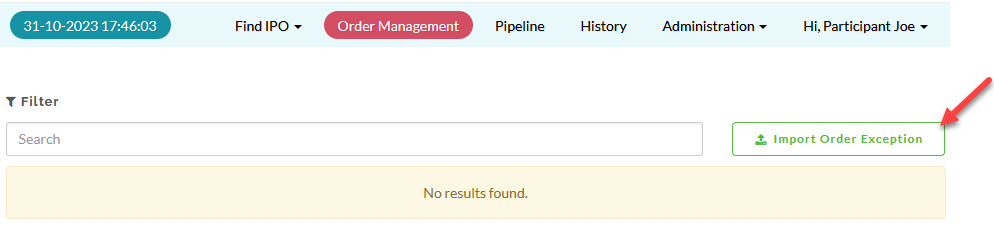
- Click the Import Order Exception box.
- Download the template provided.
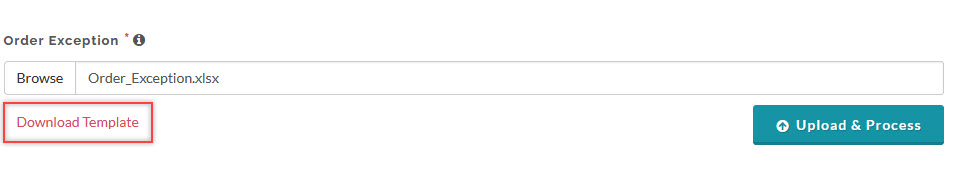
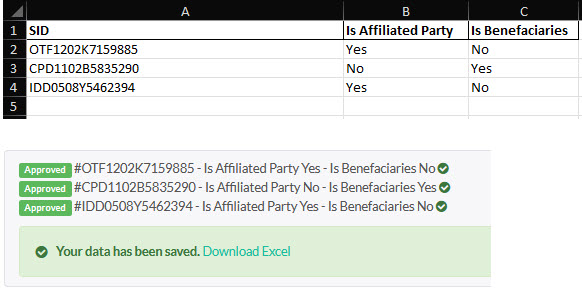
- Fill in the required data fields in the MIcrosoft Excel file, save the file and upload it.
The data in the uploaded file will be validated and you can see the result in the message container box.
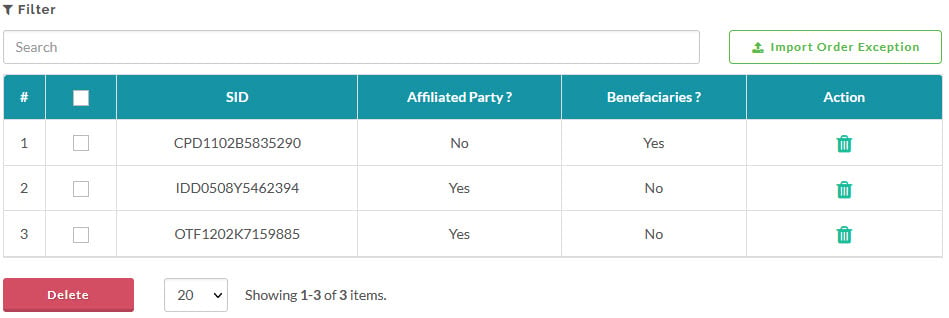
To confirmed your investors with the order exception is successfully saved, you can view the list in the Order Exception page for the selected IPO.
Created with the Personal Edition of HelpNDoc: Create iPhone web-based documentation