User Access Rights Management
For user with Master role only.
Manages separation of user roles and access rights in E-IPO.
- Choose Administrator Menu > select User.
- select RBAC button to Open the role/access rights management menu.
- Select the target role or account.
- Enable or disable permissions such as create user master, approver, or maker.
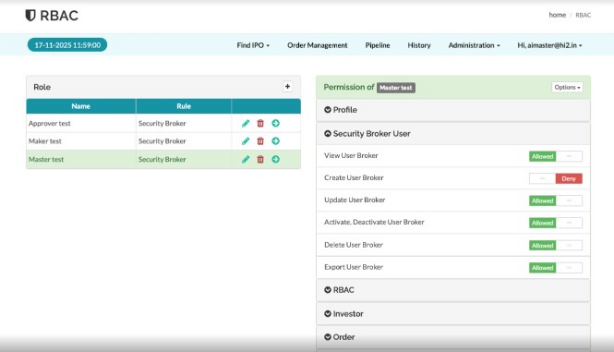
- Save the access configuration.
Created with the Personal Edition of HelpNDoc: Benefits of a Help Authoring Tool